Make your .NET codebase enforce itself.
Get the exact .editorconfig, Roslyn analyzers, CI quality gates, and automation I use in production. Stop arguing about code style - let the build do it. Copy, apply, ship.
Presale price 100% refundable until release lifetime access
"This is the most in-depth course on .NET quality that I have ever seen. Stefan explains, really in depth, how .editorconfig, props files and static code analysis work and how to set them up from scratch. I highly recommend it - it will increase your code quality, cut review time, and reduce bugs."

Messy code doesn't just look bad. It silently kills your team's velocity.
- ✕ "Please format this." - on every single PR
- ✕ Endless nitpicking instead of real code review
- ✕ Styling conflicts instead of merge conflicts
- ✕ Warnings in one project, silence in another
- ✕ No one knows which style rules are "correct" anymore
You don't need more discipline.
You need a system that enforces itself.
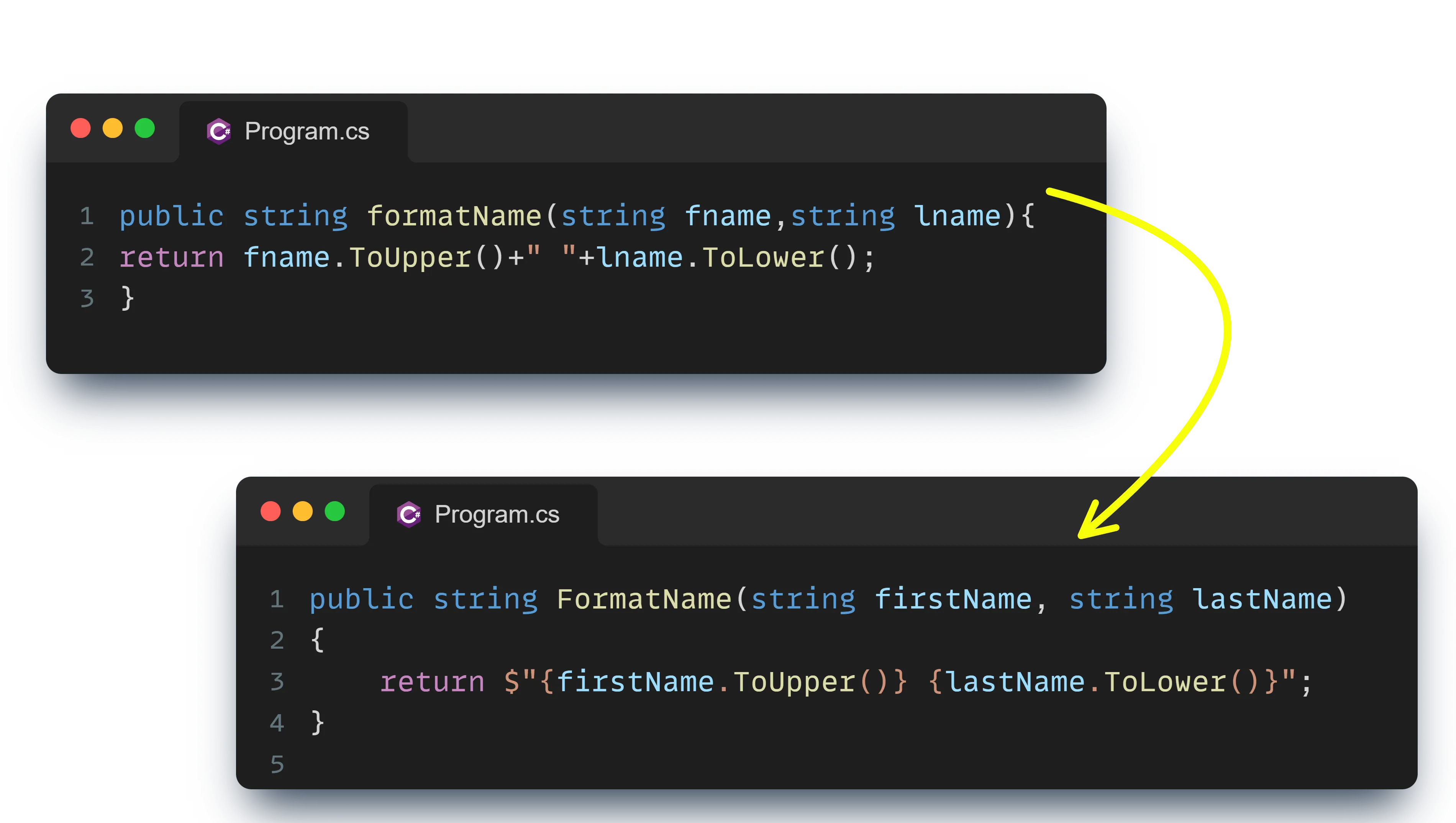
What changes after you apply this
Before
- ✕ PRs full of "fix formatting" comments
- ✕ Every developer uses different style rules
- ✕ CI passes dirty code all the time
- ✕ New team members take weeks to ramp up
- ✕ Time wasted on manual cleanup after every merge
- ✕ "Tabs vs spaces" debates in Slack
After
- ✔ PRs focus on logic, architecture, and real issues
- ✔ Every file follows the same rules - automatically
- ✔ CI rejects unformatted code before a human sees it
- ✔ New devs are productive on day one
- ✔ Cleanup happens on save - zero manual effort
- ✔ The codebase looks like one person wrote it
What you'll learn
Production-tested techniques across 12 modules and 60+ lessons.
The Code Consistency Mindset
Why unified code isn't "nice to have" - it's a force multiplier for velocity and maintainability.
- → See how inconsistent code silently kills delivery speed
- → The mindset top engineering teams use to stay aligned
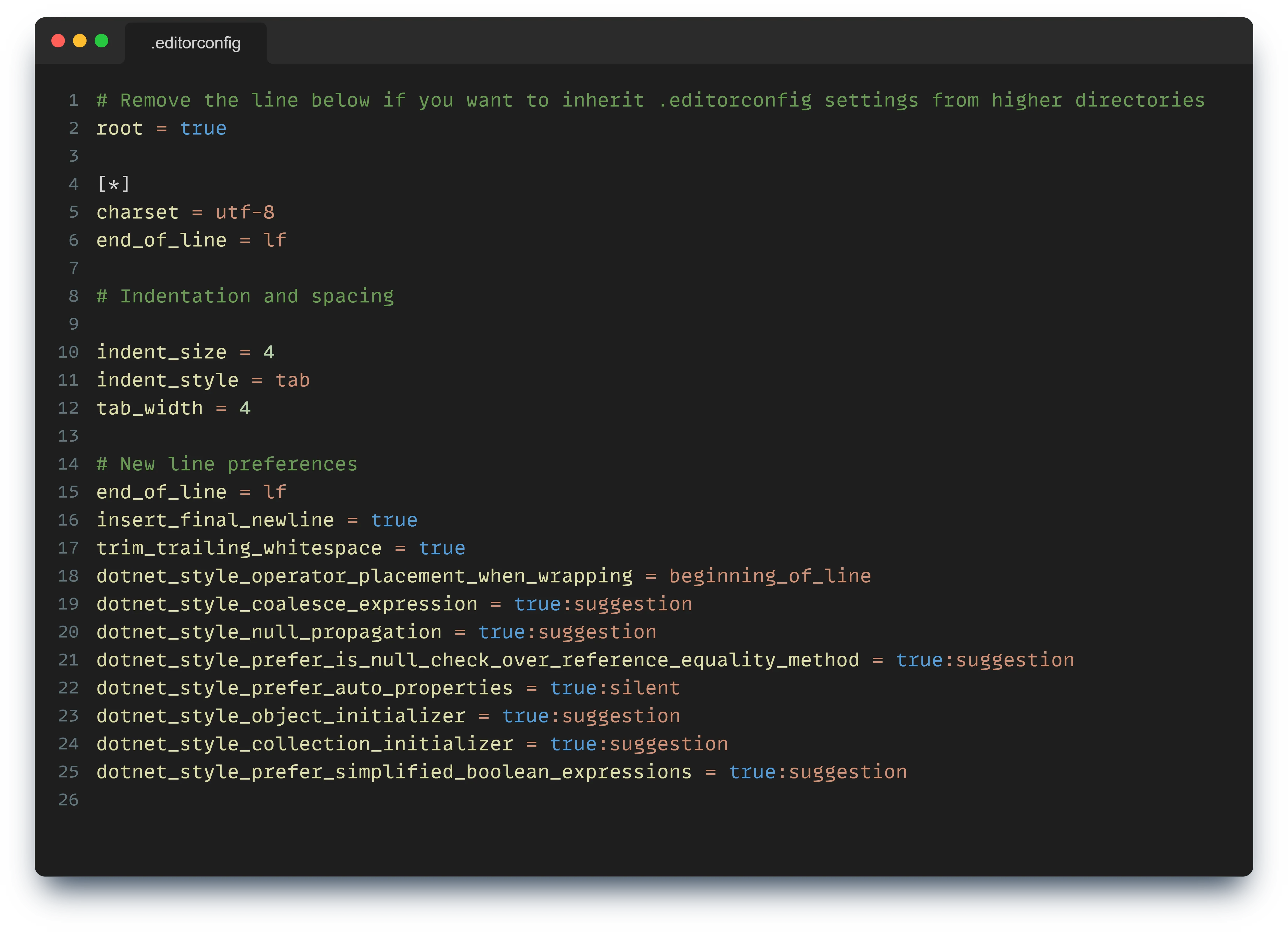
.editorconfig Deep Dive
Master the most underrated tool in .NET and make every IDE follow the same rules automatically.
- → Build rock-solid formatting, naming & analyzer rules
- → Structure it for small projects and massive solutions
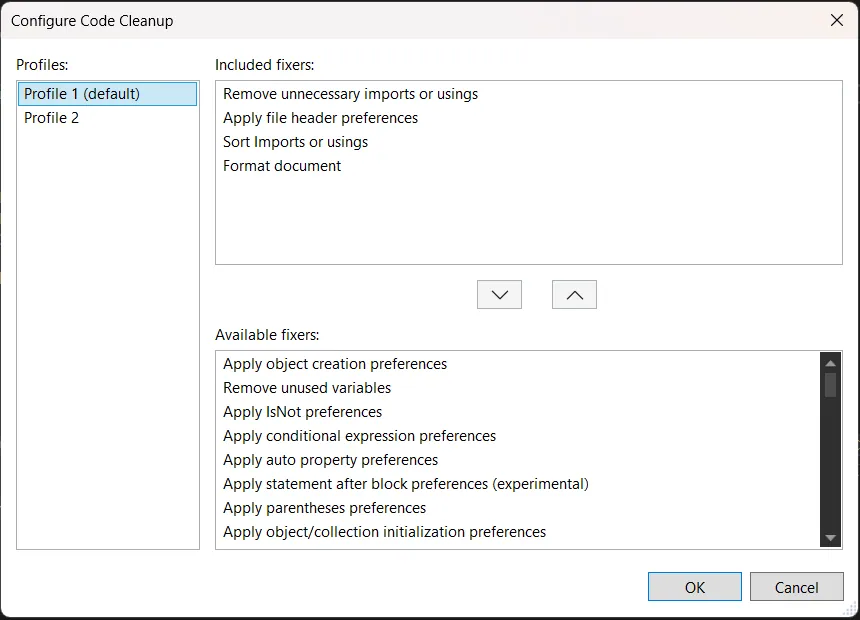
Visual Studio Cleanup Automation
Turn Visual Studio into a self-cleaning machine that formats code before you even think about it.
- → Create Cleanup Profiles that fix styling instantly
- → Remove 90% of manual cleanup from your workflow
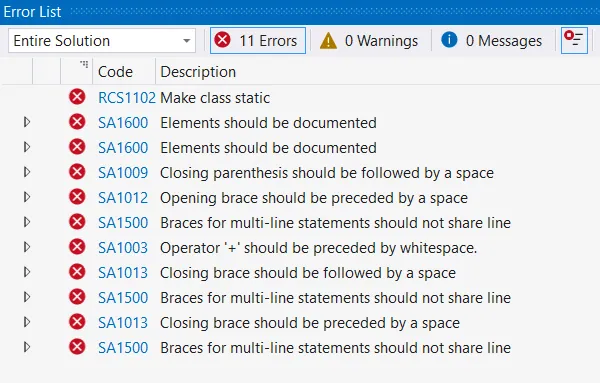
Analyzers & Warnings-As-Errors
Catch quality issues at the source instead of wasting reviewer time on low-value comments.
- → Configure analyzers that actually matter
- → Enforce rules without drowning devs in noise
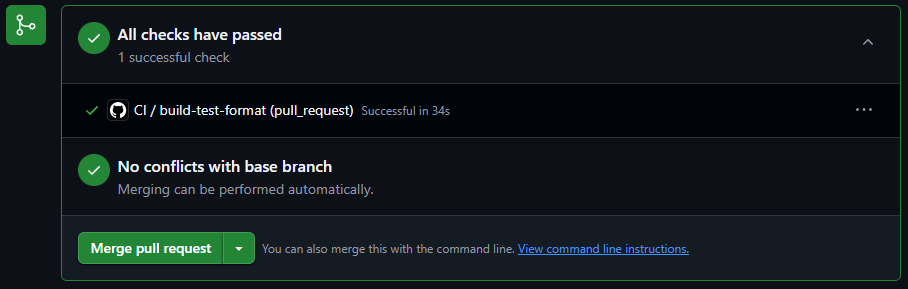
dotnet format + CI Enforcement
Build a CI pipeline that refuses messy code and guarantees consistency across your org.
- → Add dotnet format to local and CI workflows
- → Fail PRs automatically when rules are violated
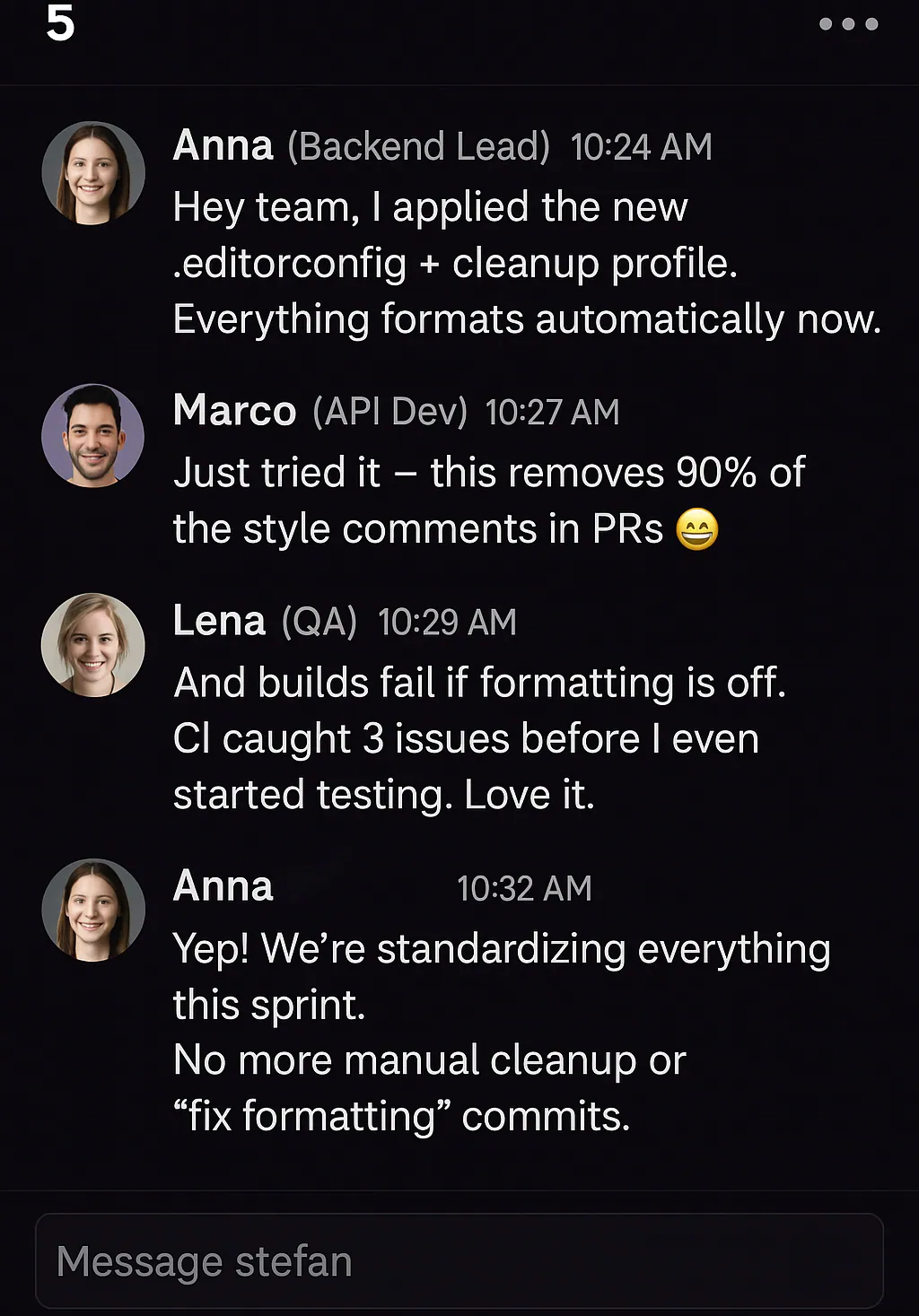
Team-Wide Adoption Strategies
Roll out code rules across your team smoothly, confidently, and without the usual resistance.
- → Introduce new rules gradually and strategically
- → Build a culture where clean code is the default
Join now and get $107 in bonuses, free.
Starter Kit
A pre-configured .NET solution with .editorconfig, Directory.Build.props, analyzer setup, and CI pipeline - clone and use.
CI Quality Gate Template
A GitHub Actions workflow that runs dotnet format, analyzers, and architecture tests - fails the PR if anything is off.
Value $29Bonus Video: Automating PR Cleanup
A walkthrough on AI-assisted dependency updates and automated PR review with Dependabot + GitHub Actions.
Value $29Bonuses total $107 · Yours free with the presale
Everything you get
The Course
- ✔ 12 modules, 60+ video lessons
- ✔ Step-by-step, production-focused
- ✔ Lifetime access + all updates
- ✔ Hosted on Skool - watch anywhere
Ready-to-Use Files
- ✔ Production-ready .editorconfig
- ✔ Directory.Build.props best practices
- ✔ GitHub Actions CI configs
- ✔ Copy-paste into any .NET project
Community Access
- ✔ Private Skool community (free)
- ✔ Q&A with the instructor
- ✔ Share setups, get feedback
- ✔ Connect with other .NET devs
Clean Commit Checklist
- ✔ Step-by-step checklist (PDF)
- ✔ Printable - pin by your monitor
- ✔ Share with your team
- ✔ Use it as your PR quality gate
What developers are saying
Specific feedback from engineers who already had opinions about code quality before they bought this.
Hands down the best structured explanation of how to set up a new .NET project for long-term success (years of development!). Every .NET developer should know this, and this course explains it all., -
 Milan Jovanović
I have been working with static weather analysis for many years. .editorconfig, props files and static code analysis packages are my daily tools. Stefan explains, really in depth, how these things work and how you can set them up from scratch. This is the most in-depth course on .NET quality that I have ever seen. I can highly recommend this course for .NET developers, as it will increase your code quality, cut your code review time, and reduce the number of bugs. A trick for adding a pre-commit hook in Git is something I learnt myself from this course., When watching this course, pause and set up the exact configuration for your projects. The best way to learn is by practicing of what you have just watched.
 Anton Martyniuk
I really enjoyed the chapters on EditorConfig and automating code cleanup. From my experience, code style inconsistencies often become a problem in team projects, but this course provides a clear and practical way to solve that. The step-by-step explanation of creating and configuring the .editorconfig file made the concept easy to understand. I also found the sections on Visual Studio cleanup profiles and Git pre-commit hooks especially useful because they show how to automate formatting and maintain standards without relying on manual checks., My tip for new students would be to follow the course hands-on instead of just watching the videos. Try implementing the .editorconfig, code cleanup profiles, and Git hooks in your own project while learning.
 kanaiya Katarmal
Great course, for every user, even if you are starting to code. You can get a clear view of code rules. Practice with simple codes to check the desire results., Great course, for every user, even if you are starting to code. You can get a clear view of code rules. Practice with simple codes to check the desire results.

This isn't theory - it's how I ship production code.
Hi, I'm Stefan Đokić - Microsoft MVP, Senior Software Engineer, and creator of TheCodeMan.net.
For more than 10 years I've been building large-scale .NET solutions where consistency, clarity, and automation aren't optional - they're the only way teams ship fast and reliably.
Everything in this course comes from real production experience. These are the exact files and configs I use every day - not theory, not "ideal world" scenarios.
Lock in the lowest price it will ever be.
Pragmatic .NET Code Rules
Complete course + bonuses + community
Save $74 · Presale price never comes back
- ✔ 12 modules, 60+ video lessons
- ✔ Production-ready config files
- ✔ CI quality gate template + Starter Kit
- ✔ Clean Commit Checklist (PDF)
- ✔ Bonus: AI-assisted PR review video
- ✔ Community access (free, lifetime)
- ✔ Lifetime access + all future updates
Refundable until release · Secure checkout via Lemon Squeezy
Why join the presale?
Is this course right for you?
Not for developers who…
- ✕ Prefer manual cleanup
- ✕ Believe "style doesn't matter"
- ✕ Don't want automation in their workflow
Built for developers who…
- ✔ Work in .NET teams of any size
- ✔ Want predictable, standardized code
- ✔ Are tired of PRs full of style corrections
- ✔ Want CI/CD to enforce consistency
- ✔ Care about maintainability and professionalism
12 modules. 60+ lessons.
Click any module to expand. Lessons marked Free preview are open before you buy.
🧱 00 · Course Introduction +
🗂️ 01 · The Foundation: EditorConfig +
🧹 02 · Automating Code Cleanup +
🚨 03 · Diagnostics & Warnings as Errors +
🔍 04 · Static Analysis in .NET +
🏗️ 05 · Centralized Settings: Directory.Build.props +
⚙️ 06 · Visual Studio Productivity & Clean Code +
🧹 07 · Project Cleanup & Consistency +
🧱 08 · Architecture Tests +
🔄 09 · Integrating Code Quality into CI/CD +
🧭 10 · Logging & Observability +
🎁 11 · Bonus: Your Own Clean .NET Template +
🤖 12 · AI-Assisted Dependency & PR Review +
Frequently asked questions
What platform is the course hosted on?+
The course is hosted on Skool, a modern platform that combines video lessons, community, and discussions in one place.
Is there a community included?+
Yes. You get access to a private Skool community where we discuss code rules, share setups, and ask questions. Community access is completely free and included.
Who is this course for?+
.NET developers who want clean, consistent, automated code. Great for individual developers, teams maintaining long-lived projects, and tech leads running code-quality initiatives.
What knowledge level do I need?+
You should be comfortable with C# and basic .NET projects. The content is practical for beginner+ and intermediate developers, and still very useful for seniors and team leads who want a system to roll out.
Can I use this with .NET 6/7/8/9?+
Yes. EditorConfig, analyzers, and dotnet format are part of the .NET SDK - not tied to a specific version. Everything is forward-compatible.
Do I get lifetime access?+
Yes. Lifetime access to all lessons and every future update. No subscription, no renewal.
Will the price increase later?+
Yes. The presale is 50% off the planned launch price ($149). When the course officially launches, the price goes up permanently.
Is there a refund policy?+
Pre-orders are refundable up until the official course release. If you feel it's not for you, just reach out before launch.
What if I already have an .editorconfig?+
Even better. The course shows you how to audit, improve, and enforce your existing setup - turning a basic config into a complete automated system.
Your codebase, clean - without relying on humans.
Reserve Your Spot - $74.89 →Presale price · 50% off launch · Refundable until release · Lifetime access